In this article, we’ll explore the hardware specifications you need to consider when setting up a flight simulator. We’ll discuss the importance of a powerful processor, sufficient memory, and a high-quality graphics card to ensure smooth gameplay and realistic visuals. Additionally, we’ll touch on the importance of having a reliable joystick or yoke, as well as other peripherals for a truly immersive experience. By the end, you’ll have a clear understanding of the hardware requirements necessary for an enjoyable flight simulation experience. Flight simulators are a popular choice for aviation enthusiasts looking to experience the thrill of flying from the comfort of their own home. Whether you’re a seasoned pilot or a newbie looking to take to the virtual skies, having the right hardware specifications is crucial for a smooth and realistic flight experience. In this article, we’ll explore the various components you need to consider when setting up your flight simulator system.
System Requirements
Before diving into the specific hardware components, let’s first take a look at the general system requirements for running flight simulators. These requirements may vary depending on the specific simulator software you’re using, but here are some common considerations:
Operating System
Flight simulators are typically compatible with both Windows and macOS operating systems. Make sure your system meets the minimum requirements for the operating system of your choice.
Processor
The processor, or CPU, is the brain of your computer. A powerful processor is essential for smooth and lag-free performance. Look for a modern, multi-core processor with a high clock speed to ensure optimal performance.
Graphics Card
The graphics card, or GPU, is responsible for rendering the graphics in your flight simulator. A dedicated graphics card with a decent amount of VRAM (Video Random Access Memory) is crucial for realistic visuals and smooth gameplay. Look for models that are compatible with the latest OpenGL or DirectX versions.
RAM
Random Access Memory (RAM) is the temporary storage space your computer uses to run applications. Flight simulators can be resource-intensive, so having sufficient RAM is important. Aim for at least 8GB, but if your budget allows, consider upgrading to 16GB or more for better performance.
Storage
Flight simulator software and scenery files can take up a significant amount of storage space. Invest in a fast and spacious storage solution, such as a Solid-State Drive (SSD), to ensure fast loading times and ample capacity for your files.
Display Devices
Once you’ve got your system requirements covered, it’s time to think about the display devices that will provide you with an immersive flight experience. Here are two options to consider:
Monitors
A good quality monitor with a high resolution and a decent refresh rate is essential for a realistic flight simulator experience. Consider investing in a large, widescreen monitor or even multiple monitors to create a panoramic view.
Virtual Reality (VR) Headsets
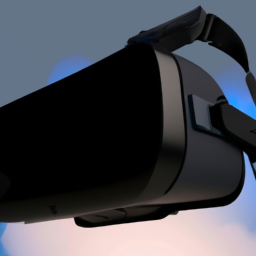
For the ultimate immersive experience, virtual reality (VR) headsets are becoming increasingly popular among flight simulator enthusiasts. VR headsets transport you into a virtual cockpit, allowing you to look around and feel like you’re truly flying. However, keep in mind that VR requires a powerful computer and can be quite expensive.
Input Devices
To control your virtual aircraft, you’ll need reliable and accurate input devices. Here are some common options to consider:
Joystick
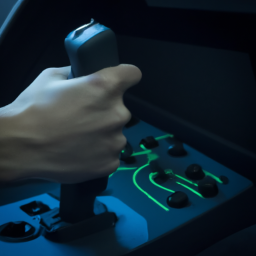
A joystick is a staple input device for flight simulators. Look for a joystick with a comfortable grip and plenty of customizable buttons, as well as a smooth and precise throttle control for a realistic flying experience.
Throttle Quadrant
A throttle quadrant is a separate device that allows you to control the throttle, mixture, and propeller settings of your virtual aircraft independently. This adds an extra level of realism to your flight simulator setup.
Pedals
Pedals are crucial for controlling the rudder and brakes in-flight simulators. Look for pedals with a smooth and precise movement for accurate control.
Yoke
A yoke is an alternative to a joystick and is designed to mimic the control yoke of a real aircraft. Yokes provide a more realistic and authentic flight experience, especially for those interested in commercial or general aviation.
Software Compatibility
Flight simulator software is the heart of your virtual flying experience. Make sure your hardware is compatible with the software you plan to use. Most flight simulators are compatible with both Windows and macOS, but always check the system requirements before making a purchase.
Flight Simulator Software
There are several flight simulator software options available, including popular choices like Microsoft Flight Simulator, X-Plane, and Prepar3D. Each software has its own system requirements, minimum specifications, and visual fidelity. Research your options and choose the one that best suits your needs and hardware capabilities.
Third-Party Add-ons
To enhance your flight simulator experience, consider investing in third-party add-ons such as aircraft models, scenery enhancements, and weather plugins. These add-ons can significantly enhance the realism and immersion of your virtual flights.
Internet Connectivity
While not directly related to hardware specifications, internet connectivity is crucial for downloading software updates, add-ons, and staying connected with the flight simulator community. Here are a few considerations:
Bandwidth
Flight simulator software updates and add-ons can be large in size. Make sure you have a fast and stable internet connection with sufficient bandwidth to handle these downloads smoothly.
Stable Connection
A stable internet connection is crucial for online multiplayer sessions and real-time weather and scenery updates. Consider using a wired connection for a more reliable experience.
Audio Equipment
Immersive audio is an often overlooked aspect of the flight simulator experience. Consider investing in the following equipment for optimum sound quality:
Headphones
A good pair of headphones can enhance the audio cues in your flight simulator, such as engine sounds, ATC communications, and ambient noise. Look for headphones with good sound isolation and a wide frequency response for an immersive experience.
Speakers
If you prefer to enjoy your flight simulator experience with speakers, look for high-quality speakers that provide accurate and detailed sound reproduction. Consider a surround sound setup for a more immersive audio experience.
Cockpit Setups
For those looking to take their flight simulator setup to the next level, building a cockpit-style setup is a popular option. Here are some components to consider:
Cockpit Shells
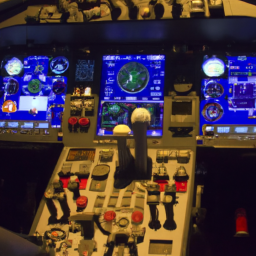
Cockpit shells are dedicated frameworks or enclosures designed to mimic the cockpit of a specific aircraft. Building or purchasing a cockpit shell can enhance the realism and immersion of your flight simulator experience.
Control Panels
Control panels, such as radio panels, GPS units, and multi-function display units, can add an extra level of realism and functionality to your cockpit setup. Look for panels that are compatible with your flight simulator software and offer seamless integration.
Instrumentation
For those interested in a more realistic experience, instrument panels with physical gauges and displays are available. These can be expensive, but they add a significant level of authenticity to your flight simulator setup.
Performance Optimization
To ensure smooth and realistic performance, it’s essential to optimize your flight simulator settings and keep your hardware up to date. Here are a few tips:
Graphics Settings
Adjusting the graphics settings in your flight simulator can help optimize performance while still maintaining good visual fidelity. Experiment with the settings to find the right balance between performance and realism.
Overclocking
If you’re comfortable with advanced computer tweaking, overclocking your CPU or graphics card can provide a performance boost. However, be cautious as this can increase power consumption and generate additional heat.
Driver Updates
Regularly updating your graphics card drivers and other hardware drivers can ensure optimal compatibility and performance with your flight simulator software. Check for updates periodically and install them as necessary.
Budget Considerations
Building a flight simulator setup can range from budget-friendly to quite expensive. Consider your budget and prioritize the components that are most important to you. Here are some budget considerations:
Affordable Options
If you’re on a tight budget, there are plenty of affordable options available for each hardware component. Look for mid-range options that strike a good balance between performance and price.
Upgradability
Consider investing in hardware that is easily upgradable in the future. This way, you can start with a basic setup and gradually upgrade and add components as your budget allows.
Conclusion
When setting up your flight simulator, hardware specifications play a crucial role in ensuring a smooth and realistic experience. Consider your budget, desired level of realism, and future upgradability when selecting components. Remember to check the specific system requirements for your flight simulator software of choice, and consider adding peripherals and cockpit setups to further enhance your experience. With the right hardware specifications, you’ll be ready to take to the virtual skies in no time. Happy flying!